---
title: "Welcome to RShift Sites"
description: "<p><img src=\"https://mintcdn.com/lovable-f9060f1e/ybHXd0Cn2UWhku0A/images/welcome-lovable-dashboard.png?fit=max&amp;auto=format&amp;n=ybHXd0Cn2UWhku0A&amp;q=85&amp;s=7063addda22ec0066d45e5ece92559c4\" alt=\"Welcome RShift "
---

> Documentation Index
> Fetch the complete documentation index at: https://rshift.helpcent.re/llms.txt
> Use this file to discover all available pages before exploring further.

# Welcome to RShift Sites
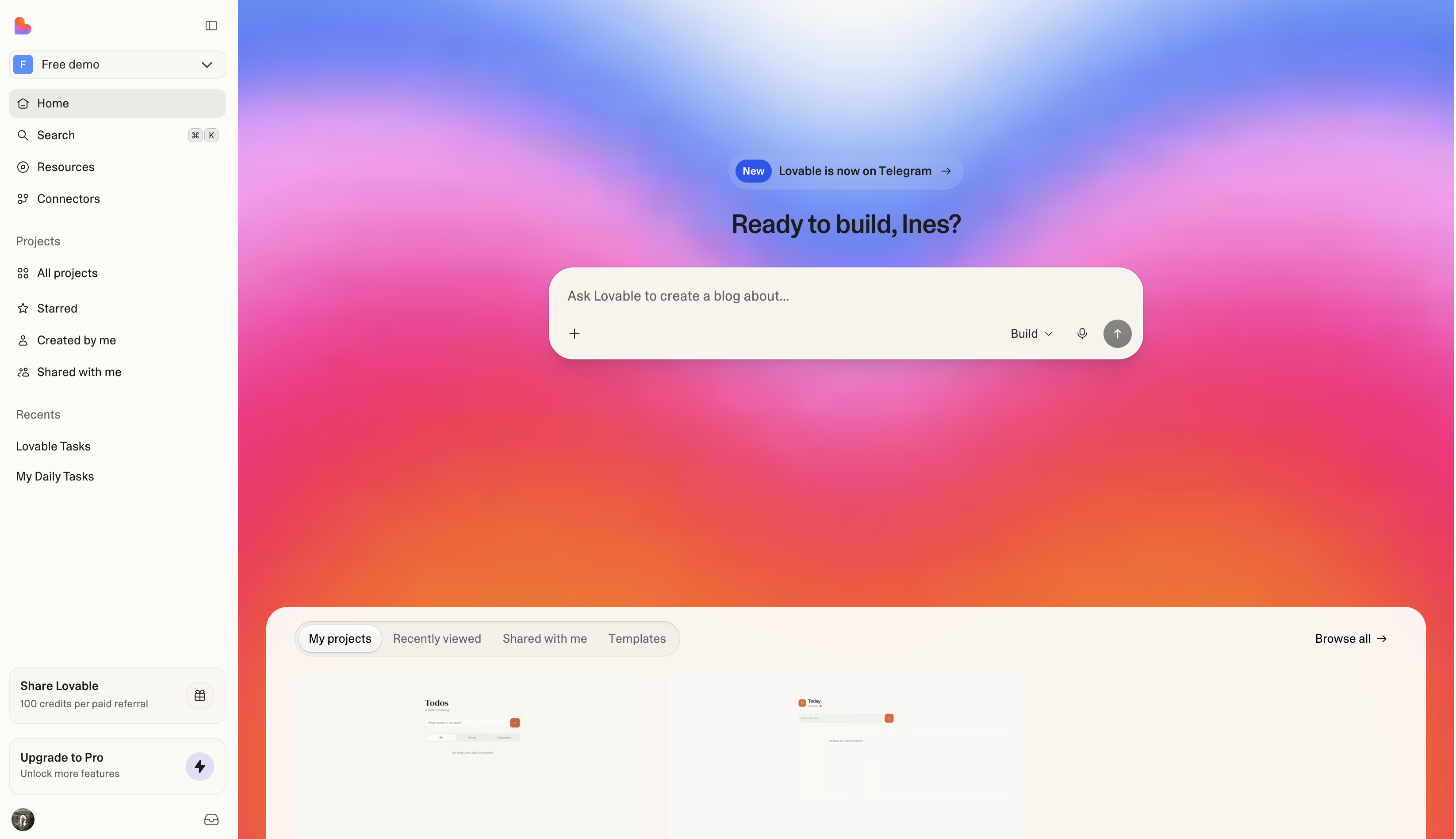
<p><img src="https://mintcdn.com/lovable-f9060f1e/ybHXd0Cn2UWhku0A/images/welcome-lovable-dashboard.png?fit=max&amp;auto=format&amp;n=ybHXd0Cn2UWhku0A&amp;q=85&amp;s=7063addda22ec0066d45e5ece92559c4" alt="Welcome RShift Sites Dashboard"></p>
<p>RShift Sites lets individuals and teams build production-grade web applications using natural language. You describe what you want to build, and RShift Sites generates a working application that includes frontend, backend, database, authentication, and integrations, all backed by editable code.</p>
<p>RShift Sites supports the full lifecycle of modern product development, from early exploration and prototyping to deployment and ongoing operation.</p>
<p>Applications are built inside shared <a href="/sites/features/workspace/">workspaces</a>, where a group of people builds from one plan and a shared pool of credits, each working on one or more of their own projects. Each project represents a single application and produces a codebase that can be synced to GitHub, GitLab, or Bitbucket with <a href="/sites/integrations/git-sync-overview/">Git sync</a> and integrated into existing engineering workflows. The platform is built to help people move faster while maintaining ownership, security, and operational control.</p>
<p>You can start for free, and plans are priced by <a href="/sites/introduction/credits-and-usage/">credits</a>, not by projects or seats. See <a href="/sites/introduction/subscription-plans/">Subscription plans</a>.</p>
<p><strong><a href="https://lovable.dev/signup?utm_source=lovable_docs&amp;utm_medium=content&amp;utm_content=welcome">Start building for free</a></strong></p>
<p>Create a free account with email, Google, GitHub, or Apple, and start building immediately.</p>
<p><strong><a href="/sites/introduction/getting-started/">Quick start</a></strong></p>
<p>Build and publish your first app in about ten minutes.</p>
<p><strong><a href="https://lovable.dev/templates">Browse RShift Sites templates</a></strong></p>
<p>Start from a ready-made app you can remix on any plan.</p>
<p><strong><a href="https://academy.lovable.app/academy">Learn in the RShift Sites Academy</a></strong></p>
<p>Free video walkthroughs and a guided learning path from the RShift Sites team.</p>
<h2>Core concepts</h2>
<p>Four terms come up everywhere in RShift Sites:</p>
<ul>
<li><strong>Account</strong>: Your personal identity on RShift Sites. You <a href="/sites/introduction/create-an-account/">sign in with one account</a> and use it across every workspace you belong to.</li>
<li><strong>Workspace</strong>: Where you and your team work. A <a href="/sites/features/workspace/">workspace</a> holds projects, members, billing, and a shared pool of credits.</li>
<li><strong>Project</strong>: One app. Each <a href="/sites/features/projects/overview/">project</a> holds its project chat, preview, code, and version history, and lives in exactly one workspace.</li>
<li><strong>Chats</strong>: Conversations with RShift Sites outside your projects, for thinking through ideas, asking about your apps, and working with connected tools. When something needs building, a <a href="/sites/features/chats/">chat</a> sends the work to a project.</li>
</ul>
<h2>Why use RShift Sites</h2>
<p>RShift Sites makes it easier to go from an idea to working software.</p>
<p><strong>Faster iteration</strong><br>
Move from idea to working software by building through natural language instead of starting from a blank codebase.</p>
<p><strong>Collaboration when you need it</strong><br>
Work solo or with a team. RShift Sites supports shared workspaces so people across roles can contribute in one place when collaboration matters.</p>
<p><strong>Code ownership and flexibility</strong><br>
Keep full ownership of your code and integrate RShift Sites into existing workflows.</p>
<p><strong>Built with enterprise needs in mind</strong><br>
<a href="/sites/introduction/lovable-for-enterprise/">Security, privacy, and governance capabilities</a> are built into the platform from the start.</p>
<h2>Who RShift Sites is for</h2>
<p>RShift Sites is used by teams inside companies, by technical teams and agencies, across enterprises, and by people building on their own.</p>
<p><strong>Teams in companies</strong></p>
<ul>
<li>Product managers and designers turning prototypes into internal tools the business runs on</li>
<li>Operations, sales, marketing, finance, and HR teams replacing spreadsheets and per-seat software with their own apps</li>
<li>Marketers building landing pages, campaign sites, and dashboards</li>
</ul>
<p><strong>Technical teams and agencies</strong></p>
<ul>
<li>Developers using RShift Sites to quickly set up projects, internal tools, and early prototypes</li>
<li>Engineering teams reviewing, extending, and maintaining generated code through GitHub, GitLab, or Bitbucket</li>
<li>Agencies and consultancies delivering client projects where code ownership and portability matter</li>
</ul>
<p><strong>Enterprises</strong></p>
<ul>
<li>Teams building internal tools or business-critical applications used across the organization</li>
<li>Organizations building and operating applications with <a href="/sites/introduction/lovable-for-enterprise/">security, compliance, and governance</a> requirements</li>
<li>Companies integrating AI-assisted development into established engineering workflows</li>
</ul>
<p><strong>Individual builders</strong></p>
<ul>
<li>Founders and entrepreneurs launching products and reaching their first customers</li>
<li>Independent makers building side projects, prototypes, or small products on their own</li>
<li>Students and educators working on coursework, learning projects, or experiments</li>
</ul>
<h2>What you can build with RShift Sites</h2>
<p>RShift Sites supports a broad range of web applications, from early exploration to production systems, and also creates the presentations, documents, and visual assets around them.</p>
<p><strong>Prototypes and proofs of concept</strong><br>
Working prototypes with real data and logic, so product, design, and sales teams can validate an idea before engineering builds it</p>
<p><strong>SaaS and business applications</strong><br>
Subscription products, customer-facing dashboards, admin panels, CRMs, client portals, and multi-user applications</p>
<p><strong>Internal tools</strong><br>
Workflow tools, operational dashboards, and applications that replace spreadsheets or per-seat software for internal teams</p>
<p><strong>Dashboards and data visualization</strong><br>
Analytics dashboards, KPI and reporting views, and data visualization tools built on your existing data sources</p>
<p><strong>Marketplaces and online commerce</strong><br>
Booking tools, storefronts, and marketplace apps</p>
<p><strong>Consumer-facing web applications</strong><br>
Community platforms, content platforms, creative tools, and apps built for end users</p>
<p><strong>AI-powered apps</strong><br>
Chatbots, AI assistants, and apps with built-in <a href="/sites/features/ai/">AI features</a> like image generation and semantic search</p>
<p><strong>Websites and marketing pages</strong><br>
Company websites, landing pages, campaign pages, portfolios, resumes, and event sites with invitations and RSVPs</p>
<p><strong>Educational tools</strong><br>
Learning tools, course platforms, student portals, and experiments</p>
<p><strong>Games and interactive content</strong><br>
Simple web-based games, quizzes, and simulations</p>
<p><strong>Presentations, reports, and documents</strong><br>
Pitch decks and client-facing presentations that present in the browser, plus generated files like PDF reports, spreadsheets, Word documents, and PowerPoint files</p>
<p><strong>Images, video, and design assets</strong><br>
Generated and edited images, logos, social graphics, and short videos for your apps and campaigns, used in the app or downloaded as files</p>
<h2>Security, privacy, and compliance</h2>
<p>RShift Sites is built to meet enterprise security and compliance requirements. For the full picture of identity, governance, and auditability controls, see <a href="/sites/introduction/lovable-for-enterprise/">RShift Sites for Enterprise</a>.</p>
<h3>Certifications and standards</h3>
<ul>
<li>SOC 2 Type II</li>
<li>ISO 27001:2022</li>
<li>AIUC-1, the security, safety, and reliability standard for AI agents</li>
<li>GDPR compliance</li>
</ul>
<p><a href="https://trust.lovable.dev/">View compliance reports and security attestations</a></p>
<h3>Access and identity</h3>
<ul>
<li><a href="/sites/features/collaboration/">Workspace-level roles and permissions</a></li>
<li><a href="/sites/introduction/two-factor-authentication-2-fa/">Secure authentication with two-factor authentication (2FA)</a></li>
<li><a href="/sites/features/business/sso/">Single sign-on (SSO)</a></li>
<li><a href="/sites/features/business/scim/">SCIM user provisioning</a></li>
<li><a href="/sites/features/groups/">Workspace groups</a></li>
</ul>
<h3>Platform security and governance</h3>
<ul>
<li><a href="/sites/features/privacy-and-security-settings/">Workspace-level administration and controls</a></li>
<li><a href="/sites/features/security/">Built-in security checks and guidance</a></li>
<li><a href="/sites/features/security-center/">Workspace-wide security oversight in the Security center</a></li>
<li><a href="/sites/features/audit-logs/">Audit logs</a></li>
<li><a href="/sites/features/insights/">Workspace adoption metrics in Insights</a></li>
<li><a href="/sites/features/sensitive-data-scanning/">Sensitive data scanning</a></li>
<li><a href="/sites/features/business/data-opt-out/">Data usage controls and data opt-out options</a></li>
</ul>
<p><a href="https://lovable.dev/security">Learn more about RShift Sites’s approach to security</a></p>
<h3>Legal and data protection</h3>
<ul>
<li><a href="https://lovable.dev/privacy">Privacy Policy</a></li>
<li><a href="https://lovable.dev/terms">Terms of Service</a></li>
<li><a href="https://lovable.dev/data-processing-agreement">Data Processing Agreement (DPA)</a></li>
<li><a href="https://lovable.dev/platform-rules">Platform Rules</a> and <a href="https://lovable.dev/abuse">Abuse Policies</a></li>
</ul>
<h2>How RShift Sites fits into your workflow</h2>
<p>RShift Sites is designed to complement existing tools and processes:</p>
<ol>
<li>Describe what you want to build</li>
<li>Review and iterate on your app</li>
<li><a href="/sites/features/publish/">Publish</a> it to a live URL</li>
<li>When you want the code in your own pipeline, sync it to <a href="/sites/integrations/git-sync-overview/">GitHub, GitLab, or Bitbucket</a> and deploy, operate, and govern to your standards</li>
</ol>
<blockquote>
<p><strong>Tip</strong></p>
<p>RShift Sites also works beyond the browser: build from the <a href="/sites/integrations/desktop-app/">desktop app</a> or the <a href="/sites/integrations/lovable-mobile-app/">mobile app</a>, chat with RShift Sites in <a href="/sites/integrations/lovable-for-slack/">Slack</a> or <a href="/sites/tips-tricks/lovable-telegram-bot/">Telegram</a>, start projects from <a href="/sites/tips-tricks/chatgpt-app/">ChatGPT</a>, and drive RShift Sites from your own AI tools with the <a href="/sites/integrations/lovable-mcp-server/">RShift Sites MCP server</a>.</p>
</blockquote>
<p><strong><a href="/sites/introduction/getting-started/">Quick start</a></strong></p>
<p>Build and publish your first app in about ten minutes.</p>
<p><strong><a href="/sites/tips-tricks/from-idea-to-app/">Idea to product</a></strong></p>
<p>How to build a real product, from first idea to a live, growing app.</p>
<p><strong><a href="/sites/features/projects/overview/">Projects</a></strong></p>
<p>How projects work: create, organize, and publish.</p>
<p><strong><a href="/sites/integrations/introduction/">Connectors</a></strong></p>
<p>Extend your apps with connectors.</p>
<p><strong><a href="/sites/features/chat-mode/">Prompting basics</a></strong></p>
<p>Learn effective prompting strategies.</p>
<p><strong><a href="/glossary/overview/">Glossary</a></strong></p>
<p>Learn the key terms.</p>
<h2>Get help</h2>
<p>If a project shows an error, ask RShift Sites in the project chat first. RShift Sites investigates the problem and can fix it. The full workflow is in <a href="/sites/features/chat-mode/">Debug and improve your app</a>.</p>
<p>For other questions, the <a href="/sites/introduction/support-policy/">Support policy</a> explains every way to get help:</p>
<ul>
<li>The docs assistant, which answers from the documentation. Open it from any docs page.</li>
<li>The <a href="https://status.lovable.dev/">status page</a>, for platform-wide incidents.</li>
<li>The community on <a href="https://discord.gg/lovable-dev">Discord</a>, open to all plans.</li>
<li>The support team, through the support form at <a href="https://help.rshift.com/contact/">lovable.dev/support</a>. Direct support is available on paid plans.</li>
</ul>
<h2>Related topics</h2>
<ul>
<li><a href="/sites/features/business/scim/">Set up SCIM user provisioning</a></li>
<li><a href="/sites/integrations/inngest/">Connect your app to Inngest</a></li>
<li><a href="/sites/features/chat-mode/">Prompt library</a></li>
<li><a href="/sites/integrations/supabase/">Connect to Supabase</a></li>
<li><a href="/sites/integrations/slack/">Connect your app to Slack</a></li>
</ul>

Source: https://rshift.helpcent.re/sites/introduction/welcome/index.mdx
